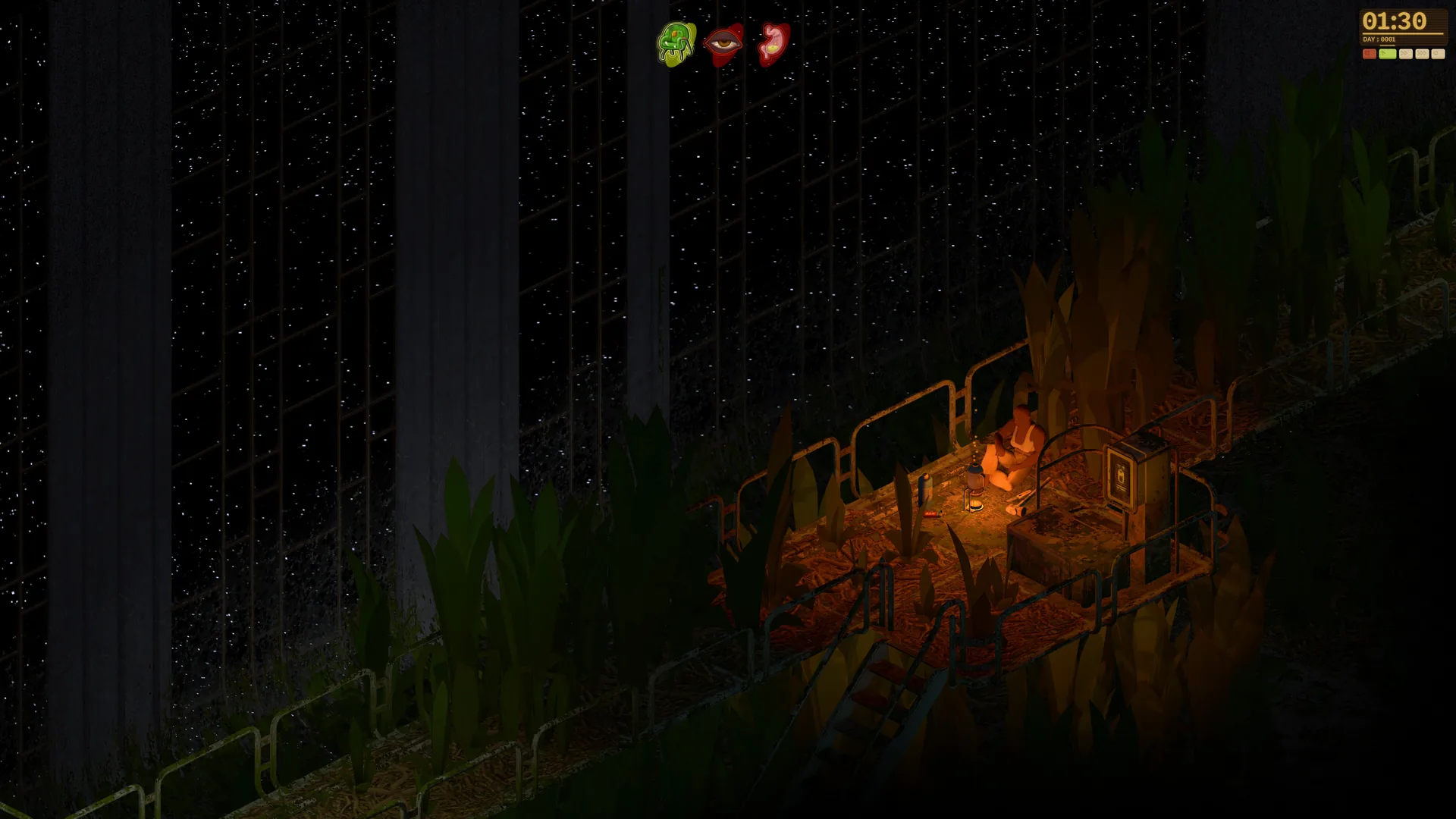
- Dandelion Void demo download is handled directly through the official Steam store page.
- Playable preview: The demo covers exploration, survival basics, crafting, and shelter building only.
- Not the full game: Early Access and full release are separate milestones; Steam still lists the release date as TBA.
- Windows PC only: Current demo support is limited to 64-bit Windows systems.
- Stay updated: Follow the official Discord, Bluesky, and YouTube channels for build announcements.
Dandelion Void Demo Download: How to Get It
The Dandelion Void demo download gives you an early hands-on look at Manzanita Interactive's survival RPG set aboard a derelict, jungle-overgrown generation ship. The demo is distributed as a standalone playable build through the official Steam store page, so you do not need to purchase anything or join a beta branch to access it.
Video Highlights:
- Official trailer showcases the abandoned ark and jungle corridors
- Survival horror atmosphere with hostile alien plant life
- Scavenging, crafting, and base building systems on display
Before installing, confirm that your system meets the currently published baseline. The game is still in development, so specifications may shift before Early Access.
| Category | Minimum Requirement | Notes |
|---|---|---|
| Operating system | Windows 10 64-bit | 64-bit installation required |
| Processor | Intel Core i5-4590 / AMD FX 8350 | Modern 64-bit desktop CPU recommended |
| Memory | 8 GB RAM | More headroom helps with background apps |
| Graphics | GTX 970 / Radeon R9 290 | DirectX-compatible dedicated GPU recommended |
| Storage | 10 GB available space | Leave extra room for future builds |
Only download the demo from the official Steam page or links shared on dandelionvoid.com. Third-party "demo download" sites may distribute outdated or unsafe files, and Manzanita Interactive does not publish the build anywhere else.
Step-by-Step Demo Installation
Follow this sequence to install and start playing the public demo build.
Open the Steam Page
Visit the official Dandelion Void Steam store page and log in to your Steam account. The demo button appears on the game's main store listing.
Download the Demo Build
Click the demo download option and let Steam install the standalone playable version. It appears separately from your wishlist entry.
Launch From Your Library
Start the demo from your Steam library and enter the available demo area to learn navigation and inspect the environment.
Explore Within Demo Limits
The demo contains only a selected portion of the planned game. Treat it as a preview of atmosphere and core systems, not the complete experience.
Wishlist the game on Steam while you are on the store page. Wishlisting ensures you receive visibility on development updates, demo revisions, and the eventual Early Access launch announcement.
What You Can Play in the Demo
The demo is built around communicating the game's atmosphere and foundational gameplay loop rather than the full progression. Expect repeated short expeditions, environmental hazards, and a chance to sample the survival systems.
Exploration
- Move through the included demo region
- Learn navigation and routes
- Identify points of interest
Survival Basics
- Sample hunger and thirst pressure
- Manage encounters and threats
- Experience random environment changes
Foundational Systems
- Early crafting and gathering
- Shelter-building concepts
- Atmosphere-focused pacing
| Feature | Demo Status | Full Game Plan |
|---|---|---|
| Demo area exploration | Included, limited region | Expanded Pergola ship interiors |
| Survival mechanics | Basic loop available | Full hunger, thirst, comfort, morale systems |
| Crafting and shelter | Sampled | Complete recipes, furniture, tech repair |
| Character customization | Limited | Full appearance options |
| Multiplayer | Not in current preview | Co-op, PvPvE direction, player-hosted servers |
| Modding tools | Not available | Map editor, Lua API, Steam Workshop |
The public demo, planned Early Access stage, and eventual full release are three separate milestones. A playable preview existing does not mean the game has officially launched — the Steam page still lists the release date as To be announced.
Demo Session Checklist
Use this checklist to get the most out of each demo session and prepare for future builds.
Demo Session Goals:
- Complete the demo installation from the official Steam page
- Survey the immediate area for routes and hazards
- Test resource gathering and basic crafting
- Sample the hunger and thirst survival pressure
- Identify a viable shelter location
- Wishlist and follow official channels for updates
Do not push deep into unfamiliar sections early. Survey nearby rooms, build a small supply reserve, and establish a return point before risking longer expeditions — the same loop that will define the full game.
FAQ
Q: Where can I complete the Dandelion Void demo download?
The demo is distributed through the official Dandelion Void Steam store page as a standalone playable build. Download it directly from Steam rather than any third-party mirror, then launch it from your library.
Q: Is the demo the same as Early Access?
No. The public demo is a limited playable preview. Early Access is a separate planned development stage for expanded content and ongoing improvement, and the full release is another distinct milestone after that.
Q: Does the demo include multiplayer or modding?
The current preview focuses on the solo exploration and survival loop. Cooperative play, PvPvE, player-hosted servers, the map editor, and Lua API modding are planned features for later development stages.
Q: What platforms support the demo?
The official Steam page currently lists Windows PC as the platform, with a 64-bit Windows 10 minimum requirement. No console versions have been announced at this time.